Hello, I am having a heck of a time trying to import a graphml file into netlogo and set up the model the way I need it. I’ve gone through all the network tutorials and I think the base problem is I don’t understand how to go from the graphml file with edge and node attributes to the netlogo vocabulary.
I made the graphml file in python with networkx-temporal from an edgelist and node list. I can get the nodes in as turtles, although they will be stationary and not move. But each edge is actually a vehicle that is moving, and each vehicle has multiple edges between the nodes over time. These are what is actually moving and what I need to follow in the model.
<?xml version='1.0' encoding='utf-8'?>
<graphml xmlns="http://graphml.graphdrawing.org/xmlns" xmlns:xsi="http://www.w3.org/2001/XMLSchema-instance" xsi:schemaLocation="http://graphml.graphdrawing.org/xmlns http://graphml.graphdrawing.org/xmlns/1.0/graphml.xsd">
  <key id="d8" for="edge" attr.name="weight" attr.type="long" />
  <key id="d7" for="edge" attr.name="breed" attr.type="string" />
  <key id="d6" for="edge" attr.name="vehID" attr.type="string" />
  <key id="d5" for="edge" attr.name="time" attr.type="long" />
  <key id="d4" for="node" attr.name="lat" attr.type="double" />
  <key id="d3" for="node" attr.name="long" attr.type="double" />
  <key id="d2" for="node" attr.name="prop_type" attr.type="string" />
  <key id="d1" for="node" attr.name="prop_grp_ID" attr.type="string" />
  <key id="d0" for="node" attr.name="propertyID" attr.type="string" />
  <graph edgedefault="directed">
    <node id="1">
      <data key="d0">P000174</data>
      <data key="d1">PG000001</data>
      <data key="d2">sows</data>
      <data key="d3">-82.25558967009326</data>
      <data key="d4">-32.27602112939915</data>
    </node>
    <node id="2">
      <data key="d0">P000179</data>
      <data key="d1">PG000001</data>
      <data key="d2">others</data>
      <data key="d3">-79.13847257689632</data>
      <data key="d4">-35.94708963637872</data>
    </node>
    <node id="49">
      <data key="d0">P000224</data>
      <data key="d1">PG000001</data>
      <data key="d2">sows</data>
      <data key="d3">-81.39624050937776</data>
      <data key="d4">-33.60766720710796</data>
    </node>
...
 <edge source="389" target="284" id="257549">
      <data key="d5">19318</data>
      <data key="d6">GPS000019</data>
      <data key="d7">animals</data>
      <data key="d8">1</data>
    </edge>
    <edge source="389" target="284" id="257649">
      <data key="d5">19363</data>
      <data key="d6">GPS000019</data>
      <data key="d7">animals</data>
      <data key="d8">1</data>
    </edge>
    <edge source="389" target="284" id="257970">
      <data key="d5">19474</data>
      <data key="d6">GPS000019</data>
      <data key="d7">animals</data>
      <data key="d8">1</data>
    </edge>
I am trying to import it into NetLogo and am having a heck of a time. I am new to NetLogo- trying to use it for my thesis.
The two layers of edges are the two veh_types edge attribute.
Each edgeID attribute is a different vehicle that i need to track along the edges of the network.
The end_time attribute is the discrete time of the temporal graph.
My thought was to import the nodes as one breed of turtle (that will stay stationary), and import the edgeID attribute (the vehicle name) as another breed of turtle since these will be moving. then use all the edges as ways the vehicles can move across. but the edgeID is an edge attribute in my edgelist.
I have tried AI help, read all the nw:extension documentation, roman-road network tutorial, looked through all the github models and examples, etc. I am all out of ideas.
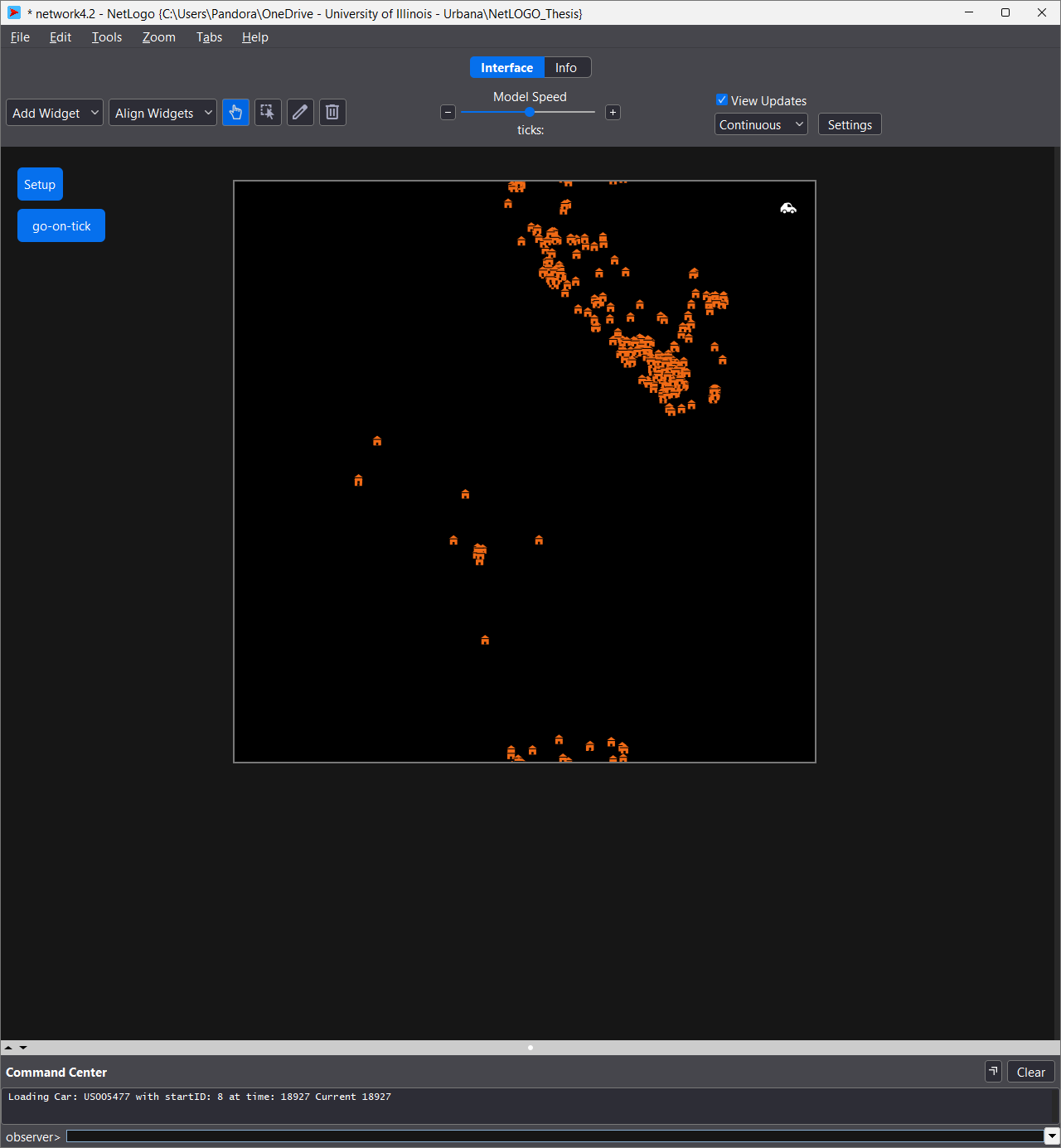
the following code is the only one that has given me a network in the environment. The problem is that all the edges are just links and all the nodes are the turtles, but they aren’t supposed to move. I need the vehicles to move along the edges.
extensions [nw gis]
directed-link-breed [ edges edge ]
edges-own [ edgeID veh_type weight end_time]
turtles-own [ propertyID prop_grp_ID prop_type long lat ]
links-own []
globals [ total-time current-time ]

;;;;;;;;;;;;;;;;;;;;
;;;;SETUP;;;;;;;;;;;
;;;;;;;;;;;;;;;;;;;;

to setup
  clear-all

  gis:set-transformation [-180 180 -90 90 ] [-10 10 -5 5 ]

  nw:set-context turtles edges
  nw:load-graphml "practice_graph.graphml"

  ask turtles [ setxy long lat ]

  set total-time 19843
  set current-time 19037

  reset-ticks

end
I’ve tried something like this and different varieties
extensions [nw gis]

; the different breeds for the edges
directed-link-breed [ veh_types veh_type ]

veh_types-own [ an/truck personal ]

turtles-own []

; property breeds
breed [ nodeIDs nodeID ]
breed [ edgeIDs edgeID ]

; property variables
nodeIDs-own [ long lat prop_type prop_grp_ID propertyID ]

; global variables
globals [ current-time total-time ]
I’ve also tried playing with this code to try and create the nodes separately, but to no avail:
  ; build a list or agentset containing the nodes
  let node-list []  ; creates an empty local variable list
  nw:load-graphml "practice_graph.graphml" [
    set node-list lput self node-list  ; creates a global node-list that adds the value (self) into the node-list variable
  ]
  let node-set turtle-set node-list
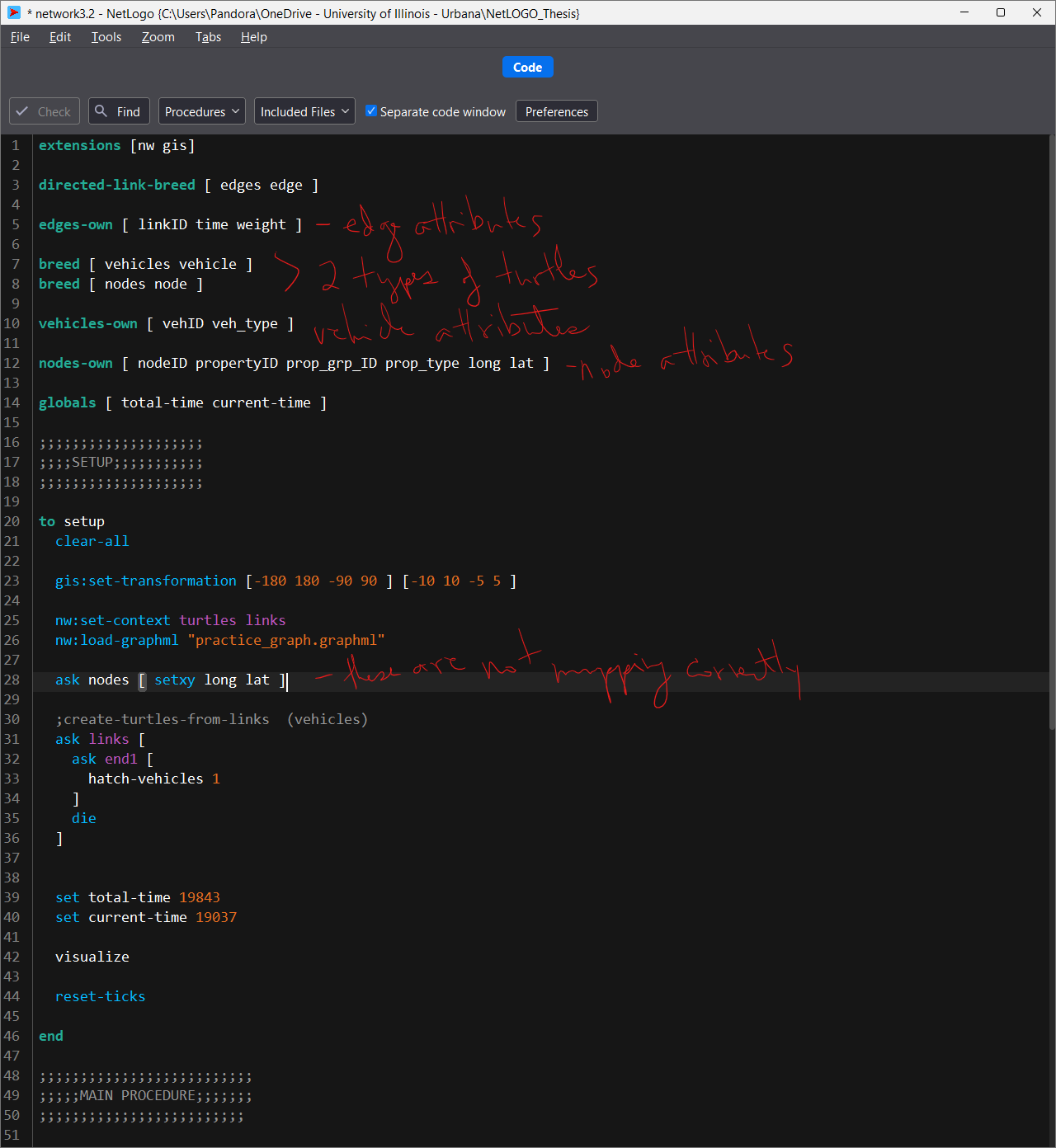
The newest code i’ve tried as of last night is:
extensions [nw gis]

directed-link-breed [ personals personal ]
directed-link-breed [ animals animal ]

;personals-own [ weight time vehID ]
;animals-own [ weight time vehID ]

links-own [ d8 d5 d6 ]

turtles-own [ propertyID prop_grp_ID prop_type long lat ]

globals [ total-time current-time ]

;;;;;;;;;;;;;;;;;;;;
;;;;SETUP;;;;;;;;;;;
;;;;;;;;;;;;;;;;;;;;

to setup
  clear-all

  gis:set-transformation [-180 180 -90 90 ] [-10 10 -5 5 ]

  nw:set-context turtles links
  nw:load-graphml "practice_graph.graphml"

  ask turtles [ setxy long lat ]

  ;create-turtles-from-links

  set total-time 19843
  set current-time 19037

  visualize

  reset-ticks

end
Any direction or help would be greatly appreciated. thank you!