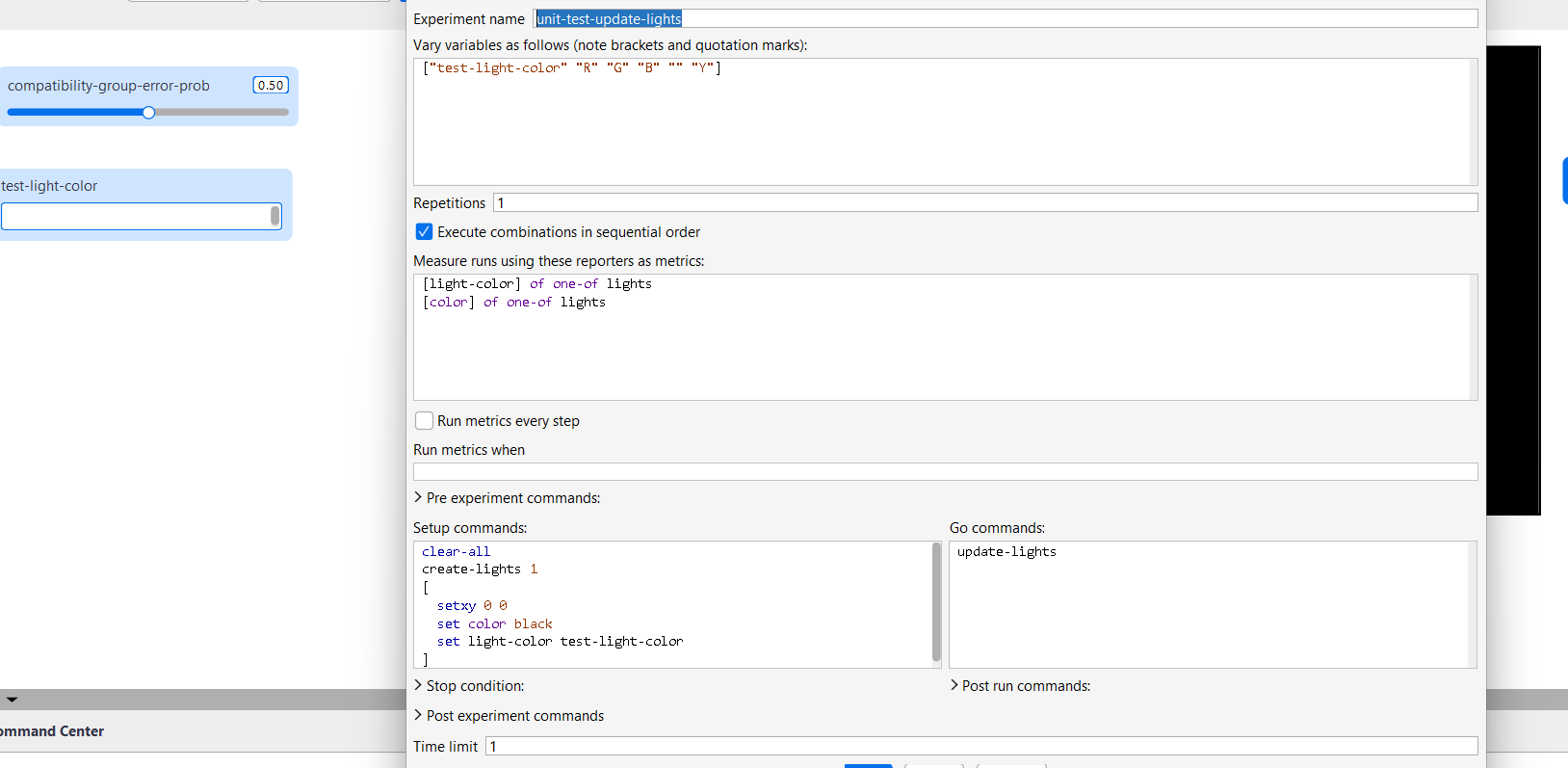
I am trying to run a Behavior Space experiment (essentially aimed as a unit test for a particular procedure) where I have a global variable named ’test-light-color’ which takes different values as part of the experiment. In the Setup commands section, I create a single ‘light’ agent which then updates its internal variable ‘light-color’ to the value of ‘test-light-color’ assigned for the particular run. Once setup is complete, the experiment runs ‘update-lights’ procedure and outputs are shown as outlined in the ‘Measure runs using these reporters as metrics’ section. See the screenshot showing the experimental setup.
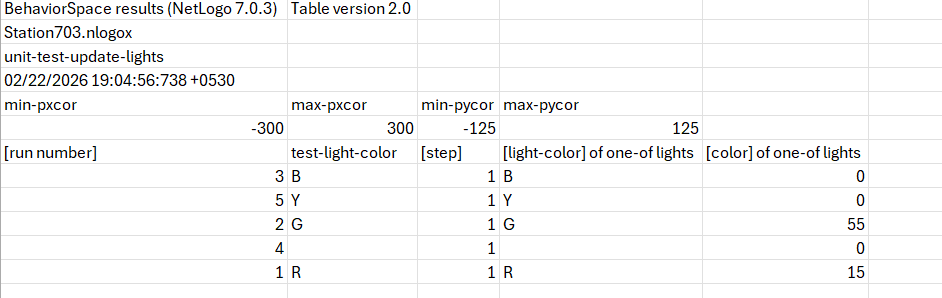
When I define the ‘test-light-color’ variable in the interface as an Input (as shown in the screenshot), the experiment works well. I get the expected output.
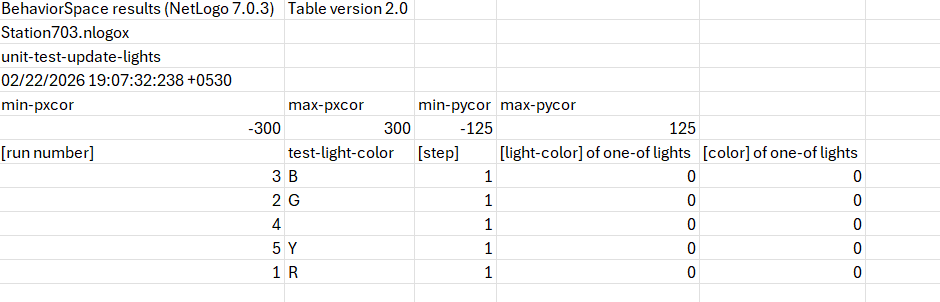
However, if I define ‘test-light-color’ as a global variable within the Code section, I notice that the internal variable ‘light-color’ of the ‘light’ agent created as part of the Setup Commands does not update to the value of ‘test-light-color’ provided in the experiment run. It defaults to zero for all experiment runs.
I hope to define ‘test-light-color’ as a global variable within the Code section so as to avoid clutter in the Interface. So I am curious to understand why the experiment performs differently depending on where the global variable is defined (Interface vs. the Code).
Usually problems like this are caused because NetLogo has BehaviorSpace
set its variable values before setup is executed. Is there something
in your setup procedure that resets test-light-color, or the agent’s
light-color?
The setup commands used in Behavior Space assign value of ‘test-light-color’ to agent’s ‘light-color’ variable. Note that the regular setup procedure (provided in the Code section) is not executed during Behavior Space runs. With the same setup commands, I get different results when I use ‘test-light-color’ as an Interface variable and when I use it as a global variable.
Following is the output when ‘test-light-color’ is defined as a global variable within the Code section:
The problem is that you are calling clear-all in the setup commands. This will reset the value of all global variables defined in the Code tab, including test-light-color, which is how it ends up as 0. Typically we would not recommend calling clear-all in the setup commands, but if you really need certain parts of it, you can do them manually. For example, clear-turtles or clear-all-plots. Let me know if this doesn’t solve the problem!
Thanks. It worked! Based on your input, I also ran the experiment after shifting ‘clear-all’ command to the ‘pre experiment commands’ section. This gave the correct output.