I’m excited to share my new NetLogo project: LogoScope.
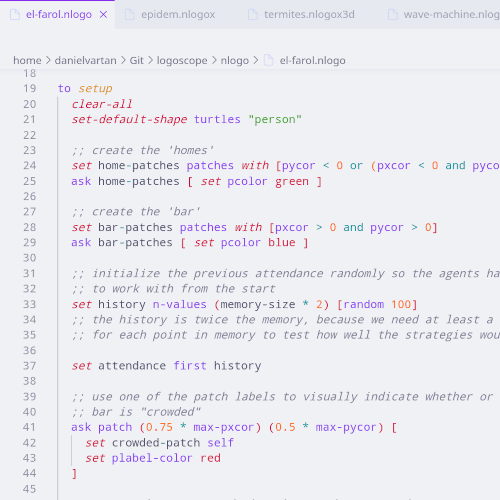
LogoScope is a Visual Studio Code extension that provides syntax highlighting for the NetLogo programming language. It supports all NetLogo file extensions (.nlogo, .nlogo3d, .nls, .nlogox, .nlogox3d) and builds on akash raj’s NetLogo Syntax Highlighting extension, last updated in 2020.
Great work indeed, it works quite well and is very useful! The only thing I noticed is that it doesn’t detect hyphens as part of variable names, instead highlighting them as if they’re subtraction reporters. For example, if I have a variable called user-id, it will get highlighted in three separate parts, with the reporter color in the middle. Pretty minor, but I imagine it would be a pretty simple fix and it would make the code more readable.
I still need to optimize the heuristics. It’s always a trade-off when adjusting them , but I’ll work on it as soon as possible.
PS: Another side project is on its way to CRAN — a new R package for R–NetLogo interaction. Currently, all existing packages in R only support up to version 6.3.0. This one is called logolink. You can check it out here. I’ll make an announcement once it’s accepted on CRAN.
Since NetLogo can use any extensions (official or not), it’s possible to have many different extension:function combinations. To handle that, I decided to highlight any pattern that follows the extension:function format.
This is indeed a hard problem, and one that is not entirely solved even in NetLogo itself. What you did is probably fine, but if you want to narrow it down slightly, you could highlight extension:function patterns only when the extension portion can be found in the extensions declaration.


 , but I’ll work on it as soon as possible.