Hello!
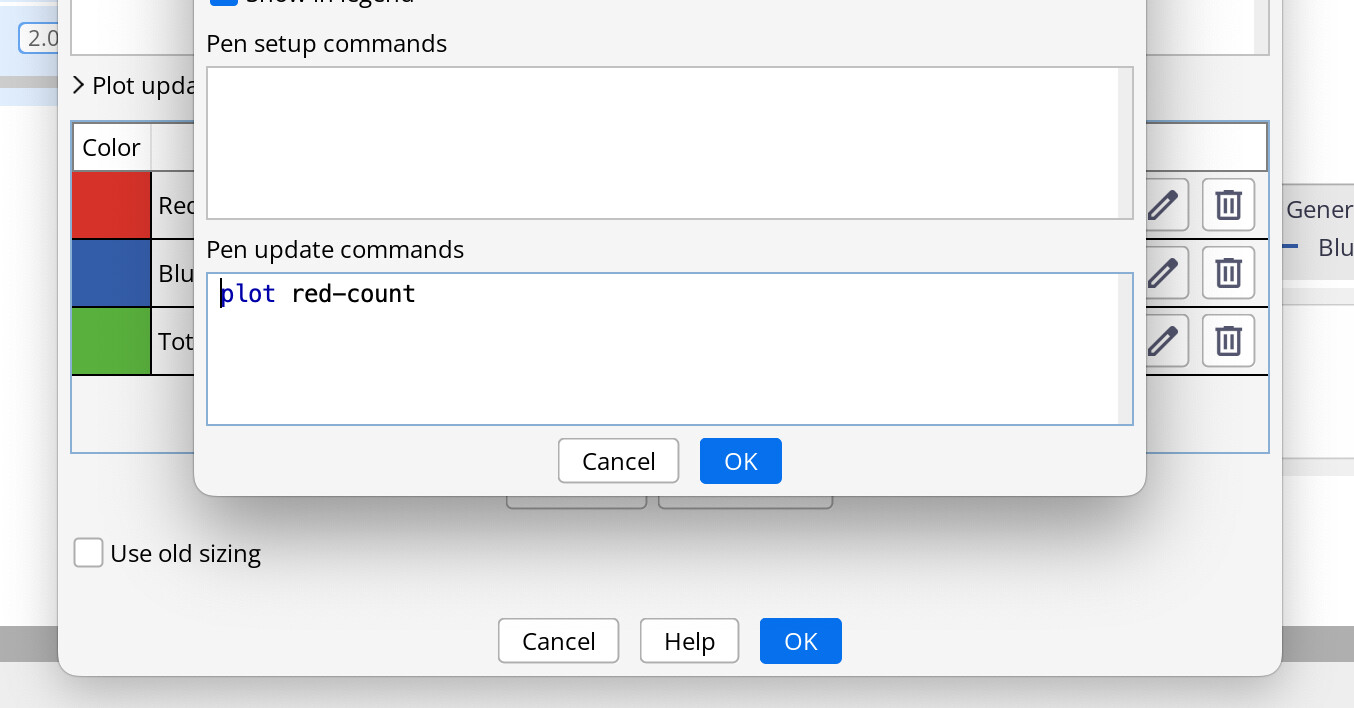
I’ve run into some inconsistent behavior when trying to set the “Pen Update commands” from the Plot window. “Pen Update commands” values do not seem to be saved when the “Editing:” window is opened from clicking text in the Pens table. However it works when opening the “Editing:” window using the pencil icon.
I would expect that making a change in the “Editing:” window should update the “Pen Update commands”, no matter how the “Editing:” window was initially opened.
Steps to reproduce:
Completed in NetLogo 7.0.3
-
Open Simple Birth Rates model from the Model Library
-
Save Simple Birth Rates model with a unique name
-
Open the Plot window for the Population vs Generations Plot
-
Click on the “Pen Update commands” field in the “Reds” row
-
Select and delete the text for “set red-count count turtles with [ color = red ]” in the “Pen Update commands” within the “Editing: Reds” window.
-
Select “OK”
-
The “Pen Update commands” field in the “Reds” row in the Plot window still contains the “set red-count…” command.
-
Keep trying to update the “Pen Update commands” field by clicking on the text field in the Plot window and observe that the changes are never saved.
-
Open the “Editing: Reds” window by clicking on the pencil icon in the “Reds” row.
-
Again, select and delete the text for “set red-count count turtles with [ color = red ]” in the “Pen Update commands” within the “Editing: Reds” window.
-
Select “OK”
-
Observe that the “Pen Update commands” field in the “Reds” row has been successfully updated.
-
Now, however, clicking on the text boxes for “plot red-count” in the “Reds” row or the “plot count turtles” in the “Totals” row select the text to edit. Clicking in the text box for the “Blues” row opens the “Editing: Blues” window. However, again, changes made in the “Editing: Blues” window are not saved. Selecting text vs opening the “Editing:” windows appears to be dependent on whether there are one or more than one lines in the “Pen Update commands” text boxes within the Plot window.
Expected behavior:
Whenever the “Editing:” window is open for a “Pen Update commands” field, changing the commands and pressing “OK” should update commands back in the Plot window.
Observed behavior:
Changes to a “Pen Update commands” field only seem to be saved when you open the “Editing:” window using the pencil icon.
I have a video showing the behavior, but it looks like videos are not allowed for the forum. I have included an images, but it doesn’t easily capture the sequence.