Why is NetLogo 7.0.2 incompatible with the Python extension, even though the currently installed Python extension is already the latest version (V1.0.1)?
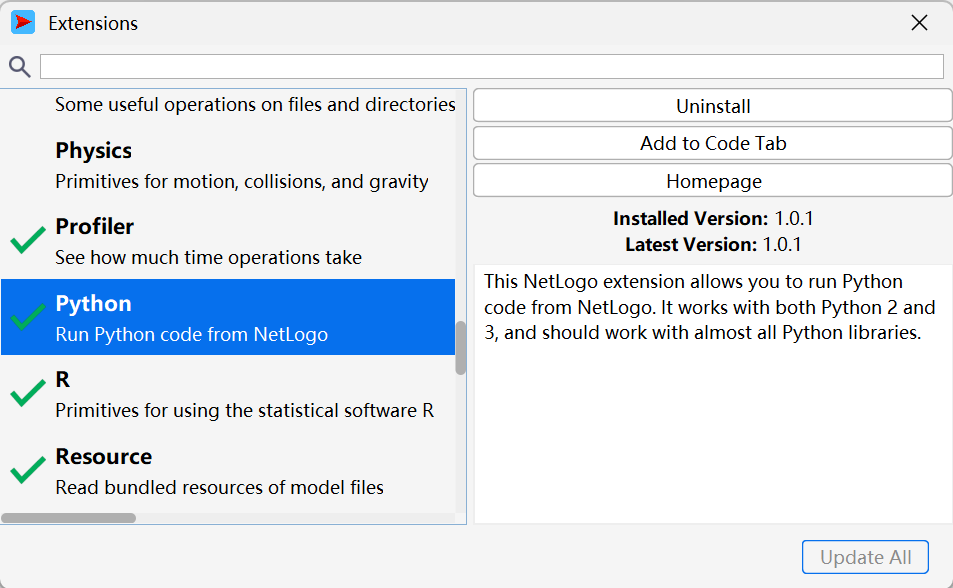
Mine works fine with the Python Basic Example model in both 7.0.2 and 7.0.3. I think I did commit a semantic versioning violation, such that the Python extension’s v1.0.1 will not work in NetLogo 7.0.0 or 7.0.1, but that shouldn’t be relevant if you’re on 7.0.2 or later.
Please try using the latest version of NetLogo (7.0.3), and, if your problem persists, please let us know the error message and the exact steps that you took to produce it.
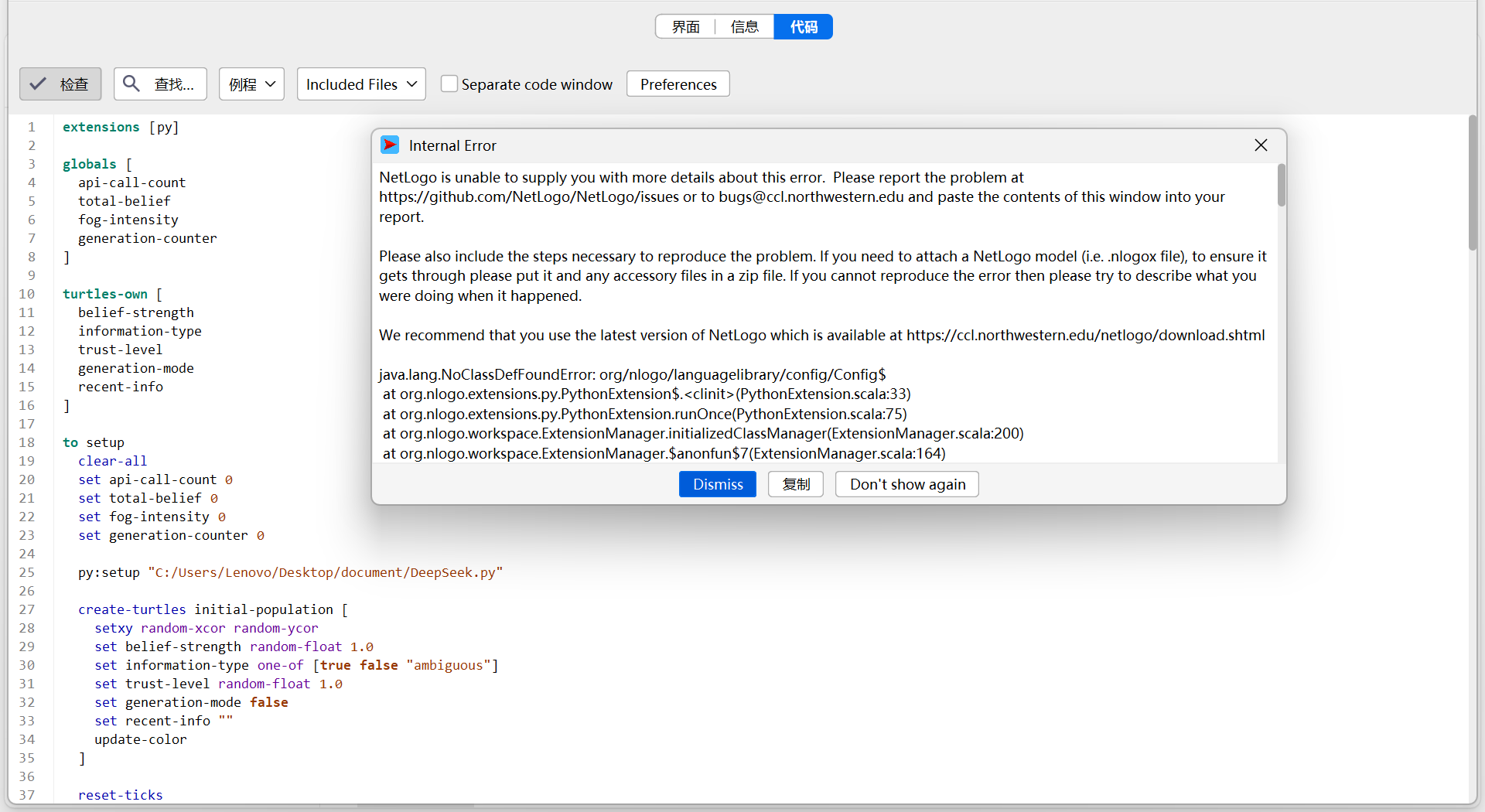
Thank you, I understand the problem better now. I don’t remember seeing any similar bug reports, but the error message is claiming that a file is missing, corrupted, or (for some other reason) cannot be loaded.
It is possible that something got broken for you with the Extension Manager. In order to reset the Extension Manager, could you find this folder on your system (relative to your home directory):
- On Mac OS X:
Library/Application Support/NetLogo - On Windows:
AppData\Roaming\NetLogo - On Linux:
.netlogo
and then delete (or temporarily rename) the 7.0 folder inside of it. Then, restart NetLogo and see if the issue goes away.
If not, there is another thing that we could try. As described here, there are multiple places where NetLogo will try to load extensions from. As explained in the first item of that list, it is possible that NetLogo thinks that the extension is installed right next to your model. This seems unlikely to me, but perhaps NetLogo would load the globally-installed Python extension if you moved the .nlogox file for your model, and then opened the model in NetLogo from its new location.
If none of that helps, and you continue to get the error message, it would help me to be able to view the contents of the relevant file (since maybe it was corrupted or failed to install correctly). In that case, could you:
- Go to the location of your NetLogo installation
- For example, mine is
C:\Program Files\NetLogo 7.0.3\
- For example, mine is
- Go into
extensions\.bundled\py(you may need to tell your file explorer to make hidden folders visible, in order to find.bundled) - Find any file starting with
language-library_ - Email it to us at [email protected]